New Features
1. Bidding Rule: Introduced a Rule Strategy Simulator
We’ve added a preview of the bidding rule's actions, allowing you to simulate its behavior based on its current settings.
This feature allows you to quickly preview the potential impact of your rule before applying it to your ad groups.
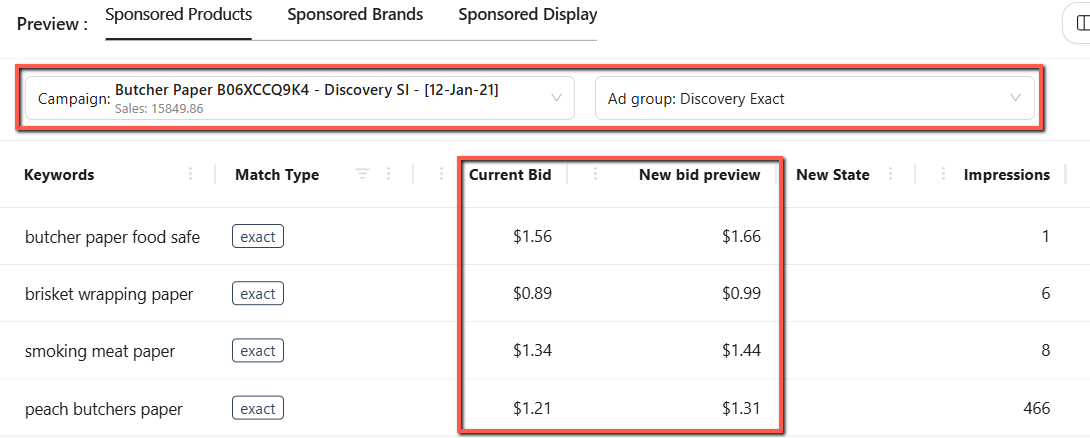
Click “Show Preview” to select a campaign and ad group, and view the simulated rule actions.
Navigation: Automation > Bidding Rule
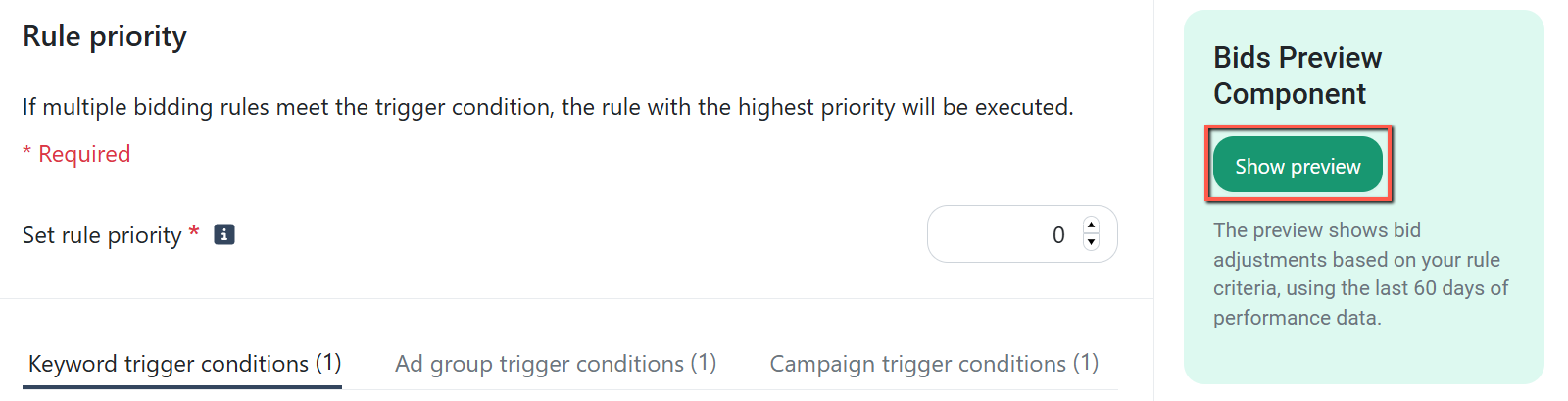
- For example, if you apply a fixed bid increase (e.g., +$0.10), the preview shows the possible bid adjustments for the ad group's keywords.
- Switching the rule’s action type (e.g., from Fixed Amount to Percentage) automatically updates the preview with the new predicted changes.
The simulator also displays a summary of key metrics such as Spend, Clicks, and Orders, based on the last 60 days of data for the selected ad group.
2. Placement Rule: Added Organic Ranking Condition
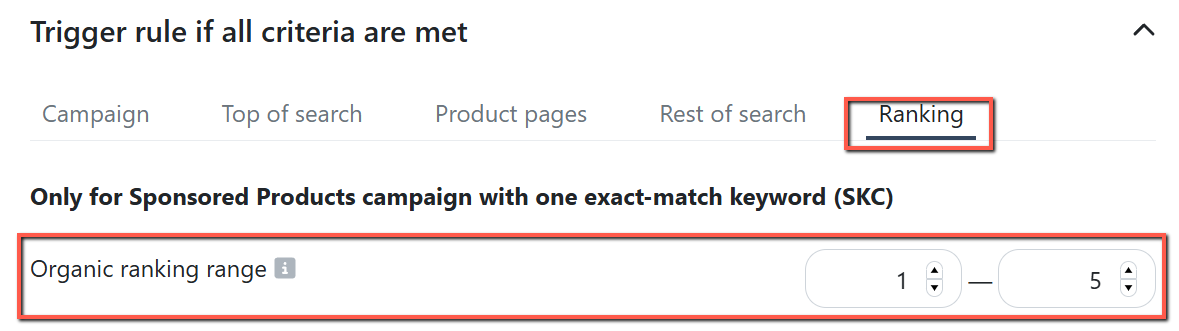
The Placement rule now supports organic ranking as a trigger condition.
It allows placement adjustments based on a product’s organic ranking for the targeted keyword, such as when the rank falls within a specified range.
This feature is available only for Sponsored Products campaigns with a single ad group, a single ASIN, and a single Exact match keyword.
Navigation: Automation > Placement Rule
Note:
The trigger won’t apply if the campaign includes multiple ASINs, multiple keywords, non-exact match keywords, or if its structure changes after setup.
3. Ads Insights: Manual Keyword Bid & Status Update via Bulk File
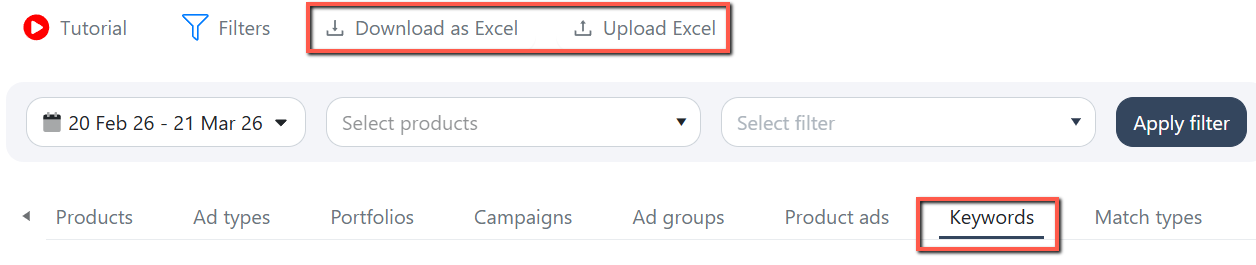
You can now update keyword bids and status via an Excel file directly on the Keywords Performance page.
This feature makes it easy to manage and apply bulk keyword updates using a template.
Download the Excel template, update Column L (keyword status) and Column AB (keyword bid), then upload the file to apply the changes.
Navigation path: Ads Insights > Performance > Keywords
Note:
All other columns are protected to maintain data consistency, prevent upload mapping errors, and ensure only supported fields are modified.
Enhancements
1. Regional Sales: Added Marketplace Currency Converter
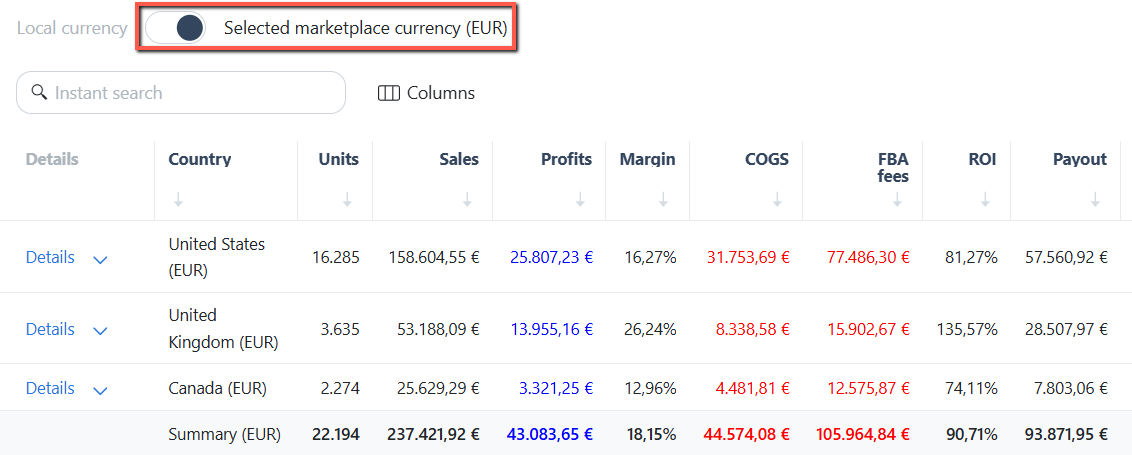
You can now convert key metrics, including Sales, Profit, Cost of Goods Sold (COGS), into the selected marketplace's currency.
Use the “Selected Marketplace Currency" toggle on the Regional Sales page to switch from the local currency to the selected marketplace currency.
- For example, when viewing the table from the US marketplace, each country’s amounts are shown in its local currency.
- Switching the toggle to "Selected Marketplace Currency" will display all amounts in USD.
This feature provides more accurate and consistent financial insights across different marketplaces.
Navigation path: Sales > Regional Sales
2. Enhanced Login Option
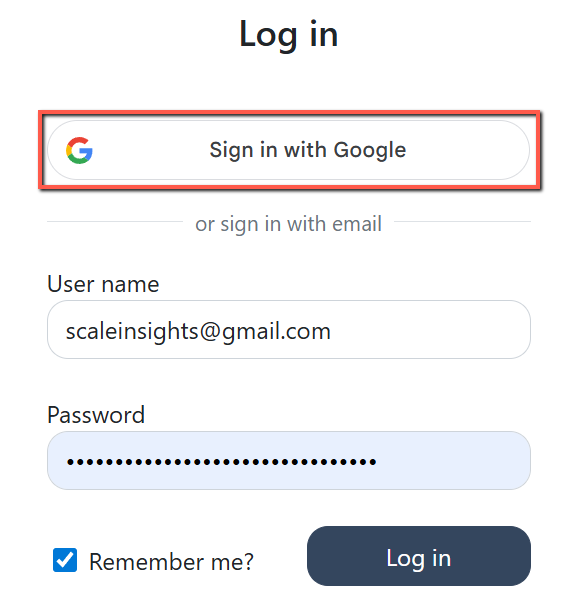
We’ve added Google One Tap to the software’s login page for a faster and smoother sign-in experience.
This feature lets you sign in or sign up without entering a password. It applies only to primary email addresses.
Secondary email addresses, such as sub-users (e.g., subuser+admin@scaleinsigths.com), will continue to use the standard login process.
Navigation path: Login Page
3. Implemented Condition-based Column Filtering
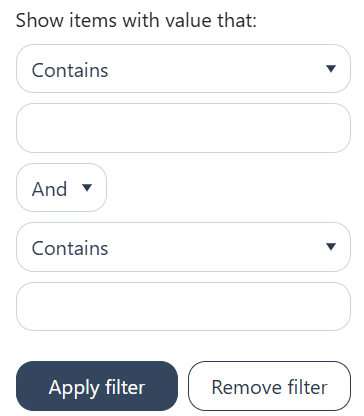
We have improved the column filtering functionality to enhance both performance and usability.
Column filters now support conditions such as "contains/does not contain" and "equals/not equals", making it easier to filter large datasets.
This update is available on the Ads Insights and Automation pages.
Bug Fixes
1. Product Sales: Fixed missing product display in dashboards
- Resolved an issue where products with only session data and no sales or advertising data were not appearing.
- These products now appear correctly in the Main Dashboard and Sales Trend tables when filtered.
2. Keyword Ranking: Resolved Excel import issue
- Fixed an issue preventing new rows from being added via Excel import. You can now add and track new keywords using the import feature.
- If a new keyword's initial tracking is set to “No,” it won’t appear in the ranking table but will remain in the downloaded Excel file.