The Scale Optimizer helps improve keyword performance by reviewing ad groups without assigned rules and suggesting optimization actions based on your active Optimizer settings.
Each day, the Scale Optimizer can generate up to 5 recommended actions, enabling you to make focused, data-driven adjustments without using any automation.
How Scale Optimizer Works
The Scale Optimizer analyzes keyword and search term performance and recommends optimization, such as:
- Adjusting a keyword’s bid to meet a specific target ACOS
- Pausing a poor-performing keyword
- Negating low-performing search terms
- Gradually inching up the keyword's bid with low traffic volume
You can configure the Optimizer to identify keywords or search terms based on performance and recommend actions accordingly.
Scale Optimizer only recommends optimizing ad groups without assigned rules, ensuring recommended actions do not conflict with existing automation.
Where to Find Scale Optimizer
Navigation path: Main Dashboard
From the dashboard, you can view all current Scale Optimizer recommendations and take action directly from the table.
Reviewing Recommendations
Each recommendation includes multiple action options to help you understand and control the change.
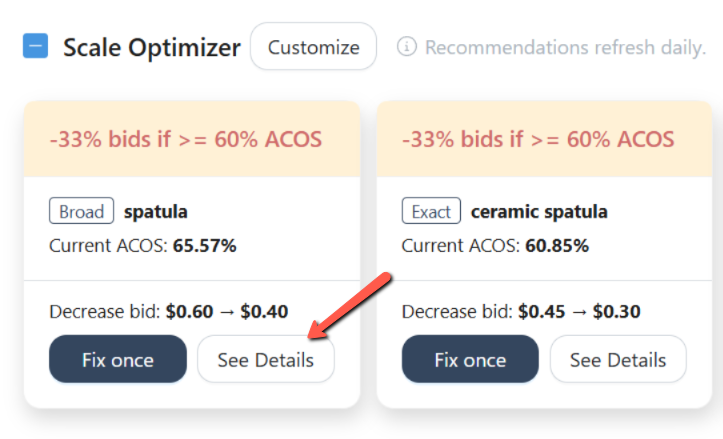
Click See Details to view:
- The criteria and calculations used by the Optimizer
- Keyword/search term performance statistics
- The associated ad group and campaign details
This helps you validate the recommendation before applying it.
Applying Recommendations
.png)
Click Fix once to instantly apply the suggested keyword/search term adjustment.
This applies a one-time change without assigning a rule to the ad group.
Review Solution
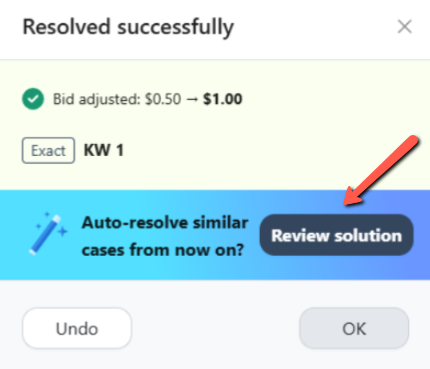
Click Review solution to assign a rule to the ad group instead of applying a one-time fix.
This allows you to automate future optimizations based on similar conditions.
Undoing Changes
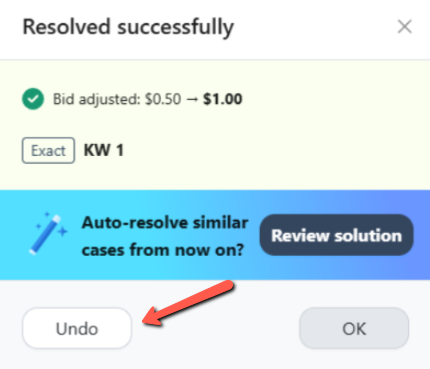
If needed, you can revert applied changes:
- Use Undo directly from the recommendation to reverse an applied change
- Restored changes will revert the keyword/search term to its previous bid or status
Tracking Optimizer Actions (History Log)
All actions taken through the Scale Optimizer are recorded in the History Log.
(1).png)
In the History Log, you can review:
- Which Optimizer triggered the action
- The affected keyword or search term
- Ad group and campaign details
- The specific action performed
You can also:
- Restore a previous change
- Unignore a previously ignored recommendation
Manual Change History
All applied changes are also visible on the Ads Insights > Manual Change History page, giving you full visibility into every Optimizer-driven update.
Summary
The Scale Optimizer provides controlled, actionable keyword recommendations for ad groups without rules. It allows you to:
- Apply one-time optimizations
- Transition to rule-based automation
- Review calculations before applying changes
- Track and undo actions with full transparency
This balance of insight, control, and automation helps you optimize confidently while maintaining visibility over your account.